I’ve had a big interest in Machine learning for quite a while but have never really had the time to work on one. Fortunately, Unity has introduced a Machine learning tool that allows developers to create machine learning agents. In this case I will be creating my own agents and improving my knowledge of reinforcement learning as that is the method the agents uses to learn.
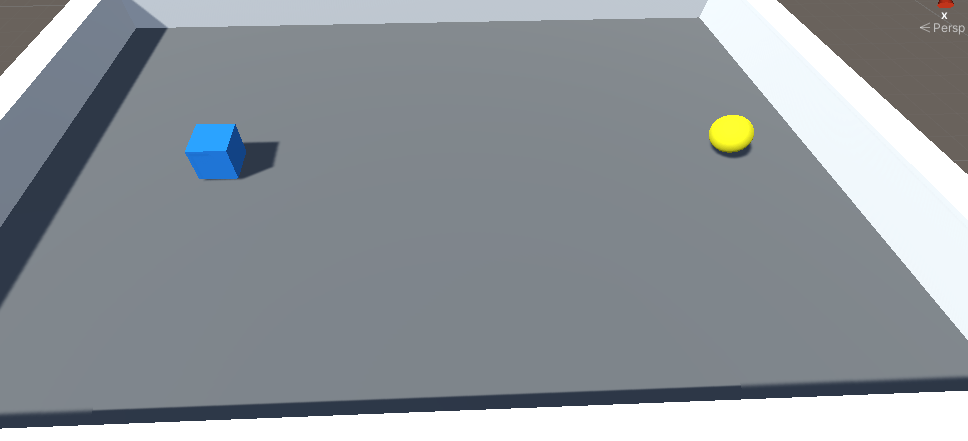
In this project I wanted to start simple, so I wanted the agent to learn how to reach the yellow sphere.
by using reinforcement learning it would learn through trial and error to reach the ball. Every time it reaches the sphere it’s given a reward, in this case 1 point but every time it hits the wall it will lose a point, and will aim to get a high reward by learning from it’s mistakes (Osiński and Budek. 2018).
When training the agent I needed to set up a virtual environment which required Python this was so that I could collect data on the agent’s decision making and see even see graphs to see where it was achieving high awards and where it failing. Below is a picture of me setting up the virtual environment in fig 2 and what data was being displayed during the training in fig 3.


When training the AI I decided to duplicate the agent and its environment 8 more times to speed up the training process. This provided to be quite effective as in few minutes all 9 agents where moving to the sphere with ease with occasional failures here and there.

Below is a method which I can use to control the AI to ensure that they will move in the correct direction, this is show in fig 5. When setting up the controls, for some reason I had to swap around the directions by which I mean I set the agent’s x axis to the data required for the z axis and vise versa for the agent’s z axis. This in turn allowed the agent to move in the right direction which I find strange as at first I thought the Heuristic method shouldn’t affect the AI decision making nor was the virtual environment active to record data.
However after reading more on Unity’s Machine Learning I learned that if you’re using the heuristics method in the agent’s script, it may use the elements in the method. This dose makes sense as in fig 6 the actions used to dictate the agent’s movement is also being controlled in heuristics method.


If I were to do this experiment differently I would spend more time preparing the agent and it’s environment, mainly to ensure the the agent can move in the correct directions to make sure that the input system or anything else in Unity wasn’t affecting it’s sense of direct. Looking at a blog about machine learning it’s said that the biggest challenge when using reinforcement learning is setting up the environment correctly (Osiński and Budek. 2018).
In addition, I would remove the Heuristic method from the agent script when training it, to see if anything would change the direction decides to move as inverting and swapping the input did have an affect on the direction it went during the the training process.
I could also experiment with Unsupervised Training which is a method of training where, certain metrics can be used to train the agent and make the discovery by itself without me having toe observe it (Lanham 2018).
Conclusion
After trying out this project I’m quite surprised about how simple the process is when training AI, however this probably would change if I was experimenting with training an agent to achieve a more complex task. To improve on this, I will spend a day trying to training an agent to find multiple objects in any order it decides to. For it to achieve its goal all it would need to do is find all the spheres and when it’s do so it will receive a reword. If it doesn’t find all the sphere’s in a set time frame, it will lose a point.
Bibliography
LANHAM, Micheal. 2018. Learn Unity ML-Agents – Fundamentals of Unity Machine Learning: Incorporate New Powerful ML Algorithms such as Deep Reinforcement Learning for Games. Birmingham, UNITED KINGDOM: Packt Publishing, Limited.
OSIŃSKI, Błażej and Konrad BUDEK. 2018. What is reinforcement learning? The complete guide.
Figure List
Figure 1: Max Oates. 2021. picture of agent’s environment.
Figure 2: Max Oates. 2021. virtual environment created through CMD.
Figure 3: Max Oates. 2021. training in progress.
Figure 4: Max Oates 2021. using multiple agents to increase the rate of training.
Figure 5: Max Oates. 2021. controlling the agent to ensure its movement work.
Figure 6: Max Oates 2021. code the controls the agent’s movement.
 MaxMakesGamesBlog